
Apple Vision Pro, iPhone, iPad and Mac. Agents on Mac.
See your screens.
So can your agent.
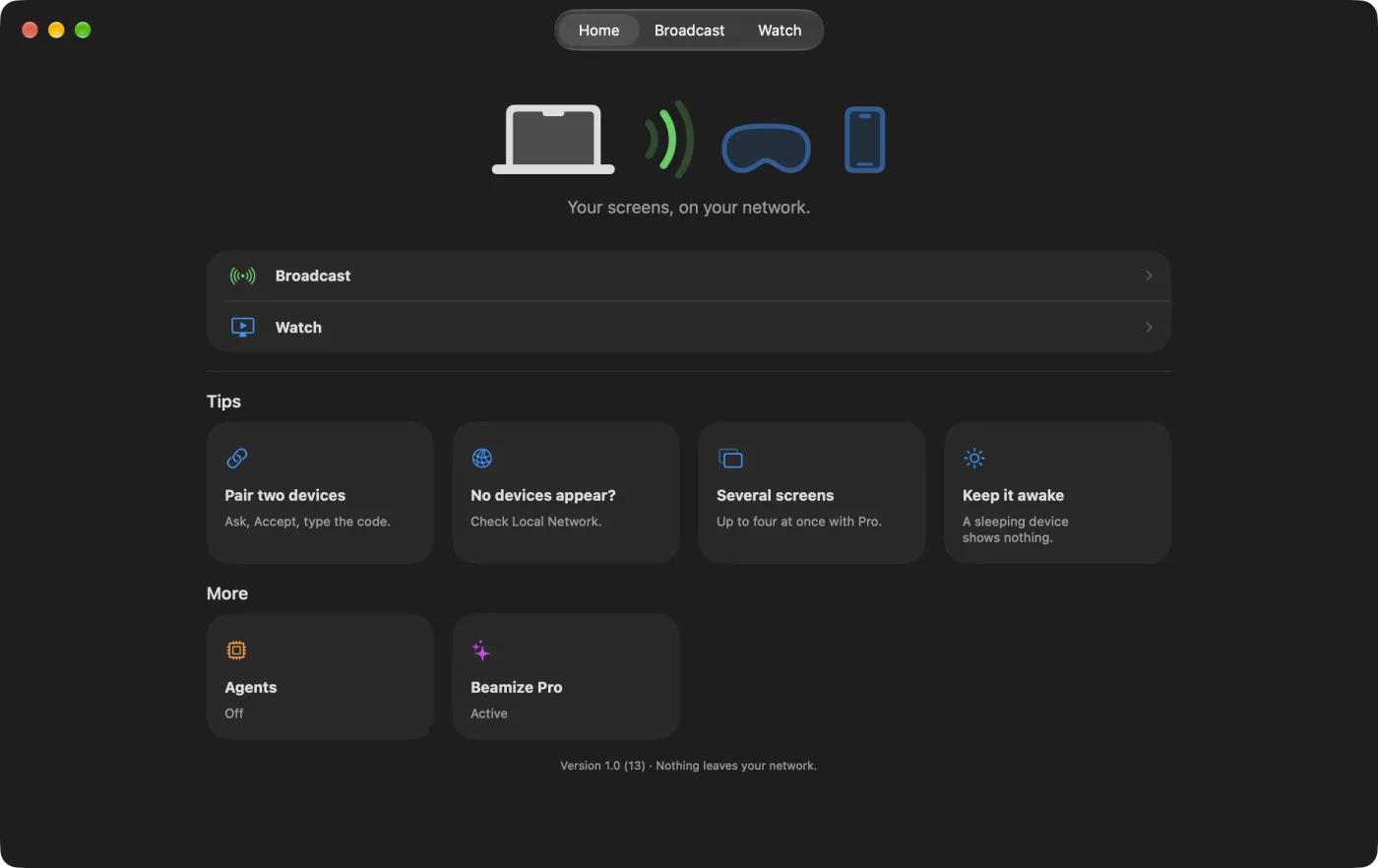
Watch one of your devices live on another, over your own network. On your Mac, your AI agent can look too. Nothing is shared until a person approves it.
Free to start. Two devices on the same network, with visionOS, iOS, iPadOS or macOS 27.2 or later.
- Local network only
- No account
- No server
- Pinned keys
- Data Not Collected
- list_devicesPaired and nearby devices, and which one is watched.
- watch_deviceConnects to a paired device that is sharing. Never pairs.
- screenshotThe picture on screen now, as JPEG or PNG.
- screenshot_seriesUp to 10 pictures in a short burst. Not a video.
- wait_for_changeWaits for the picture to change, then returns it.
- stop_watchingDisconnects only the devices this agent opened.
Two interfaces.
One app.
One you use. One you delegate to.
| You, in the app | Your agent, on the Mac Pro |
|---|---|
| Watch tab. Pick a paired device and watch it live. | watch_device connects to a paired device that is sharing. |
| Player. The live picture, with Fit and Fill. | screenshot returns the picture on screen now. screenshot_series returns a short burst. |
| Info. Resolution, codec, frame rate and bitrate. | list_devices lists paired and nearby devices, which one is watched, and its size, fps and codec. |
| Nothing to do. You just look. | wait_for_change waits for the picture to change, then returns it. |
| Stop. You stop watching. | stop_watching disconnects only the devices the agent opened. |
Eyes, not hands.
An agent can list paired and nearby devices, watch a paired one that is sharing, take screenshots and wait for the screen to change. It cannot send input to a device, pair a device, start or stop sharing, or end a session a person opened. Screenshots go to the agent you connect, which may send them to its AI provider. Agent access is part of Beamize Pro. It runs on the Mac only, is off by default and opens no network port. You turn it on in Beamize, under Home, then Agents. While it is on, an agent can open Beamize when it needs it. How to connect an agent
Only devices you approve.
Pairing needs a person on each device. After that, your two devices talk directly, on your network.
Ask. Accept. Type the code.
A device asks to watch. The person on the sharing device taps Accept, then the six-digit code it shows is typed on the watching device. Accept only a request you expect. Pair once: next time, no Accept and no code. The sharing device still confirms Share Screen once each time Beamize starts.
Encrypted device to device.
Pictures travel with QUIC and mutual TLS, on your local network. Each device has its own key.
Pinned keys.
A paired device is known by its key. A device that answers with another key is refused, never paired again silently.
No account. No server.
Nothing to sign up for, and nothing in between. A device is not discoverable until you start broadcasting. App Privacy: Data Not Collected.
Your windows.
Never your room.
On Apple Vision Pro, Beamize sends your app windows on black. The room around you is never captured. Protected video shows black.
Where it helps.
Four uses, each with its limits.
Build for Apple Vision Pro.
Keep Apple Vision Pro in its own window beside Xcode on your Mac. Build, run, look. With Pro, your coding agent can take a screenshot of the device when it asks, and say what it sees.
Limits. Same network only. Protected video shows black. The picture follows where Apple Vision Pro faces. Sharing from iPhone or iPad is not yet measured.
Your tests act. Your agent checks.
ProXCUITest or your app's own hooks act on the app. Your agent waits for the screen to change, gets the new picture, and checks it.
Limits. Beamize looks. Input comes from XCUITest or your app's own hooks.
Screenshots on request.
ProYour agent asks for a screenshot and gets a PNG of the decoded picture, with no extra compression. From Apple Vision Pro, windows come on black, ready for a dark layout. For docs, bug reports and drafts.
Limits. Up to 1080p from Apple Vision Pro. For App Store visionOS sizes, use Developer Capture or the Simulator.
See what they see.
Someone next to you tries Apple Vision Pro. You see what they see, live, on an iPhone, an iPad or a Mac on the same network.
Limits. No sound. One viewer at a time. Only the person sharing starts and stops the share.
Free to start.
Sharing and watching one screen stay free. Beamize Pro adds agent access on your Mac and up to four screens at once.
Beamize
Free
On Apple Vision Pro, iPhone, iPad and Mac.
- Share your screen
- Watch one screen at a time
- Pairing, encryption and pinned keys
- No account
Beamize Pro
€4.99 a month
Or €39.99 a year, in France, VAT included. In the US, $3.99 a month or $34.99 a year, before tax. Prices at App Store launch. They vary by storefront.
- Agent access on your Mac
- Up to four screens at once, each in its own window on Mac, iPad and Apple Vision Pro
- One subscription for all your devices on the same Apple Account
- New subscribers get one week free
Beamize Pro is an auto-renewable subscription, monthly or annual. Either plan can start with the free week, once per Apple Account. Payment is charged to your Apple Account when you confirm the purchase, or when the free week ends. The subscription renews automatically unless you cancel it at least 24 hours before the end of the current period. Manage or cancel it in your Apple Account settings. Any unused part of the free week ends when you buy a subscription. If Pro ends, nothing running stops. Read the Terms of Use and the Privacy Policy.
In the beta, Pro is a test purchase. Nothing is charged.
Questions.
Can Beamize tap or type on my device?
No. It shows a screen and never sends input. Your agent gets eyes, not hands.
Does it work over the internet?
No. Both devices must be on the same local network.
Do agents get video?
No, pictures: a screenshot, a burst of up to 10, or the next picture once the screen changes.
Can it see my room?
On Apple Vision Pro, no. Beamize sends your app windows on black, and the view of your room is never captured. On iPhone, iPad and Mac it sends the screen, so anything an app shows there, a camera view included, is shared.
Does someone have to wear Apple Vision Pro?
To start sharing, yes. Taken off, it sleeps, and a sleeping device has nothing to show.
To keep sharing once it is off your head, it needs a stand that leaves its cameras a clear view, so it does not go to sleep, and an anti-sleep cover. Models to 3D-print both are on the web. Neither comes from Apple: use them on a test device, at your own risk.
Which agents work?
Any MCP client on your Mac that can start a local (stdio) server and speaks MCP 2025-03-26 or later.
What can an agent do on my Mac?
While access is on, it can open Beamize, start or stop watching a paired device that is sharing, and take screenshots. It cannot pair, share, or end a session a person opened.
Is there sound? Can I save a video?
No to both. Beamize sends the picture only. Talk over FaceTime or the phone.
How many can watch?
One viewer per shared device. With Pro, one device can watch up to four screens at once.
What if Pro ends?
Nothing running stops. New extra screens and agent calls are refused, with the reason.
Where do agent screenshots go?
To the agent you connect, which may send them to its AI provider. Beamize has no server and collects nothing.
Try it
with your devices.
Free to start. Join the public beta on TestFlight, then pair two devices on the same network.